Features · AirTech Records Pro

Flights that keep your total time current

Log each flight the way you record it, and the airframe total time updates straight away. Oil added, snags and the logbook page each flight is on come with it.

Log a flight your way Pro

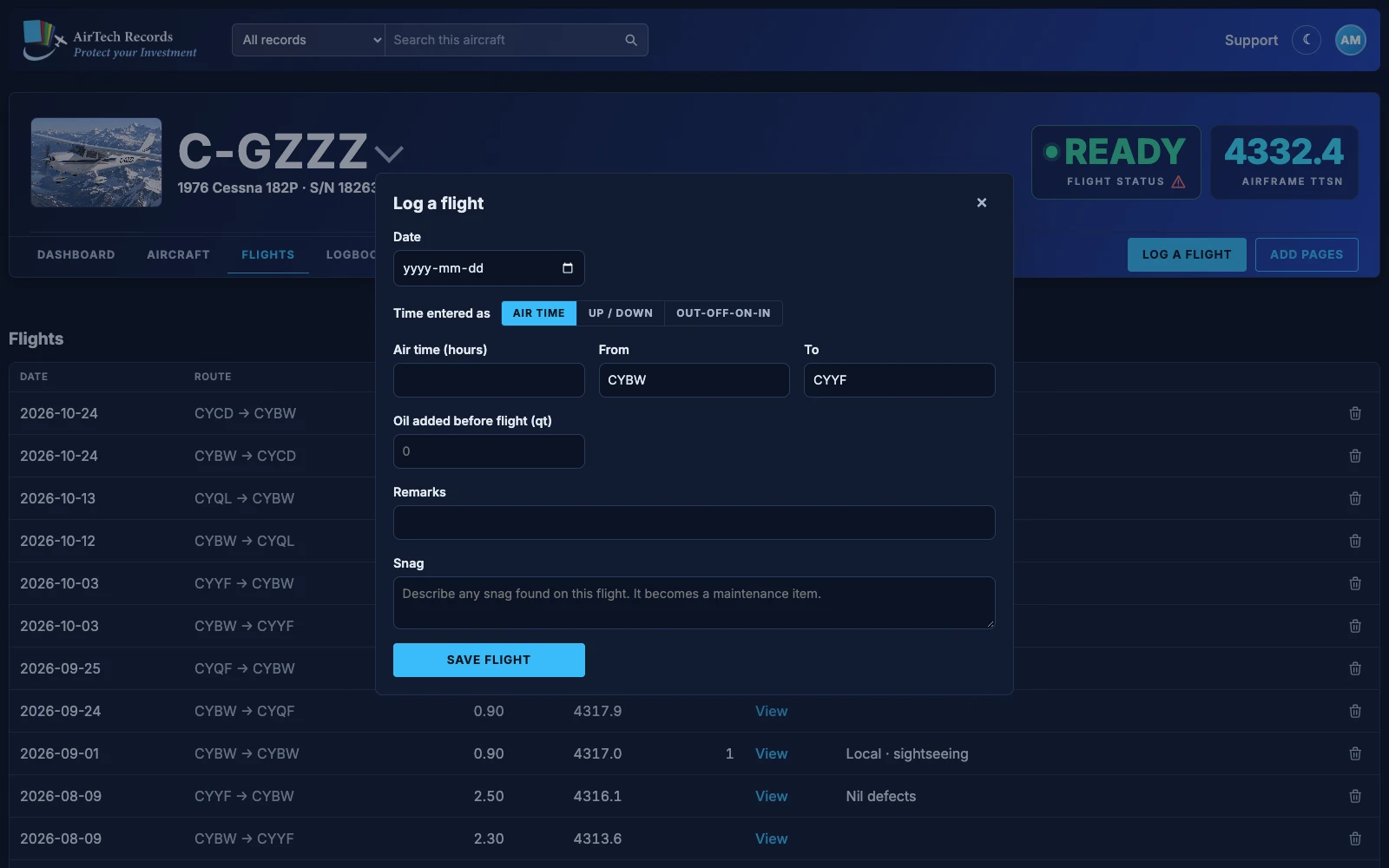
  • Air time: the hours flown, such as 1.3.
  • Up / down: the takeoff and landing times.
  • Out-off-on-in, gate to gate: block out, takeoff, landing and block in.
  • Enter local 24-hour times and AirTech works out the air time in tenths of an hour as you type. A landing after midnight is handled for you.
  • The form opens on the way you entered the time last.
The Log a flight dialog for C-GZZZ with the time entered as out-off-on-in: Out, Off, On and In times, From, To, oil added, remarks and snag.
Log a flight, here entered as out-off-on-in.

TTSN, always current Pro

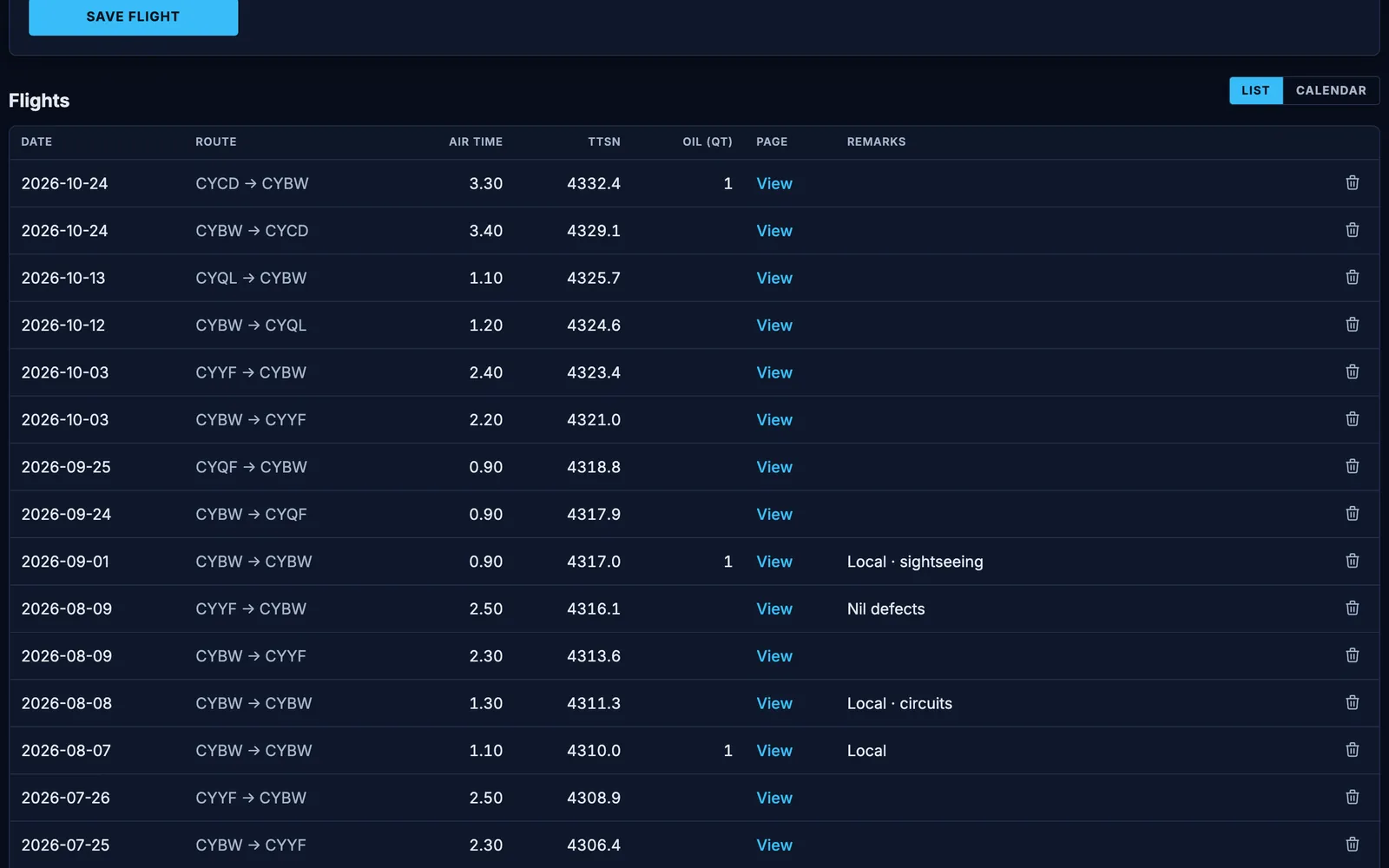
  • Every flight adds to the airframe total time (TTSN) as soon as it’s saved.
  • Correct a flight’s date or time and the TTSN of it and every flight after it is worked out again. Change the starting TTSN and the same happens from that date on.
  • Components’ times and maintenance due by hours follow the airframe TTSN, so every flight moves them on.
  • Each flight shows the journey log page it’s on.
The flight list of C-GZZZ: each flight's date, route, air time, TTSN after the flight, oil added, a link to its logbook page and remarks.
Flights with their air time, TTSN, oil added and logbook page.

Oil added and snags Pro

Oil added

Record the oil added before each flight, in quarts: one figure on a single, left and right on a twin. The dashboard shows the oil used per hour flown since the last oil change.

Snags

Found a defect? Describe it as a snag (a squawk on N-registered aircraft) when you log the flight. It becomes a maintenance item, and the aircraft shows as grounded until it’s signed off, unless you untick that.
Flight history and route maps Pro

  • See your flights newest first, as a list or a month calendar.
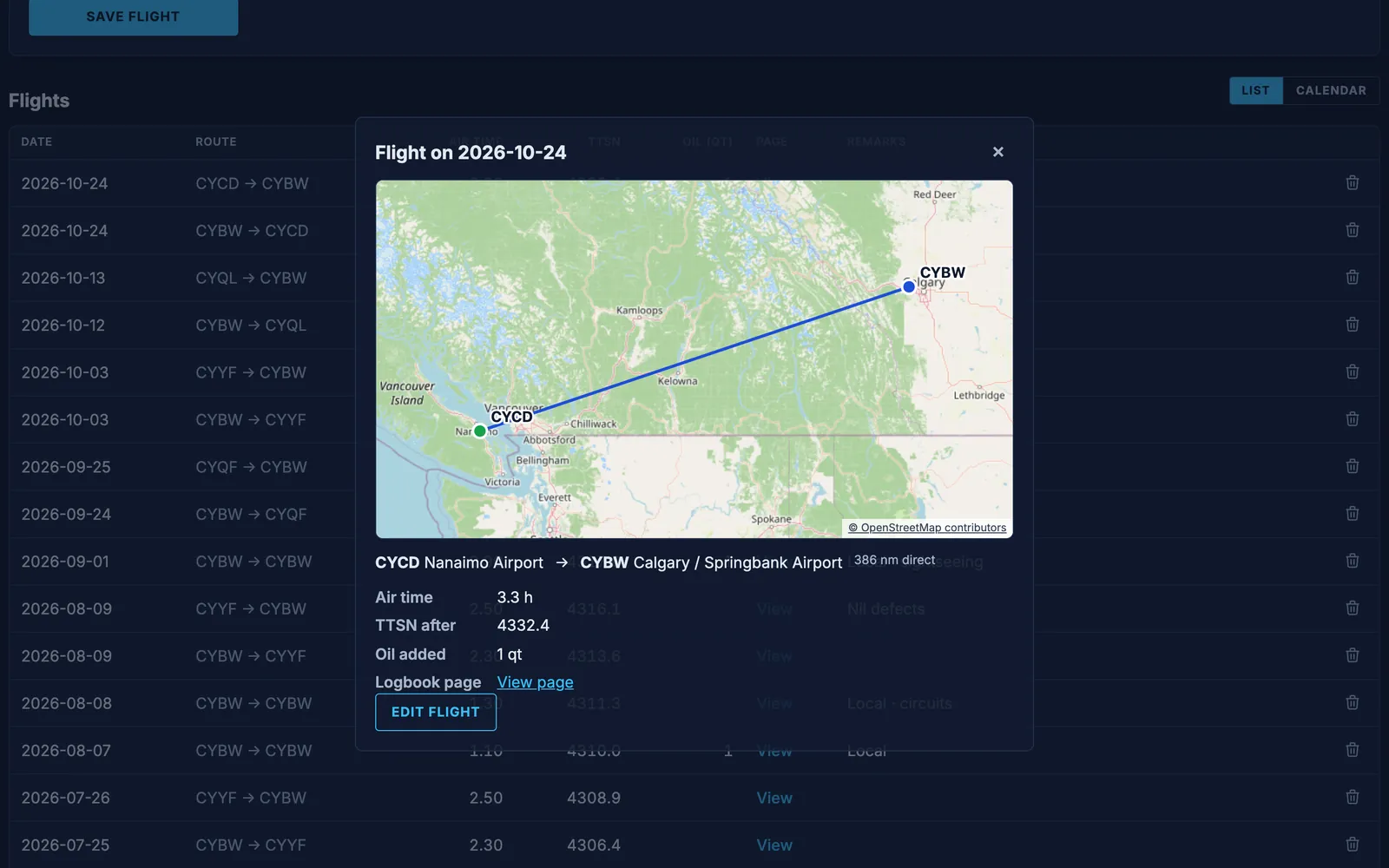
  • Click a flight for its details and its route on a map, with the airports’ names and the distance.
  • Edit a flight to correct it. A deleted flight goes to the recycle bin for 30 days.
A flight of C-GZZZ from Nanaimo to Calgary / Springbank opened from the list: its route on a map, the distance, air time, TTSN after, oil added and its logbook page.
A flight’s details and route map.

The iPhone flight timer Pro

The free AirTech Records iPhone app times the flight as it happens: its flight timer records the times as you fly and suggests the nearest airports for the departure and destination. Log it as air time, up and down times or out-off-on-in, with oil added and any snag, and the TTSN updates on the website too.

Pilots and flight emails Pro

  • Owners, maintainers and pilots can log flights. AirTech Records Pro includes up to three pilots on each aircraft.
  • The owner gets an email summary of each flight, and maintainers get one when a flight reports a snag.
  • Anyone can turn flight emails off under Account › Email.

Guides for owners

All aircraft records guides

More features

Try every Pro feature free

Every account starts with a month of AirTech Records Pro, free, with no credit card. After that, AirTech Records stays free for your logbooks, and Pro is optional.