
Features · AirTech Records Pro
Stay ahead of maintenance
See what comes due next by date or hours, sign off work as it’s done, and let AirTech plan the next occurrence of everything that repeats: annuals, oil changes, inspections and recurring ADs.
Dashboard and flight-ready status Pro
- Ready when nothing is overdue or due in the next 30 days or 10 hours, Check when something comes due within them, Not ready when something is overdue, and Grounded while an open item such as a snag grounds the aircraft.
- Gauges for the next annual, the next oil change, the next item due and the ADs to review.
- Everything coming due, as a table or a calendar. Items due by hours get a date from the past year’s flying.
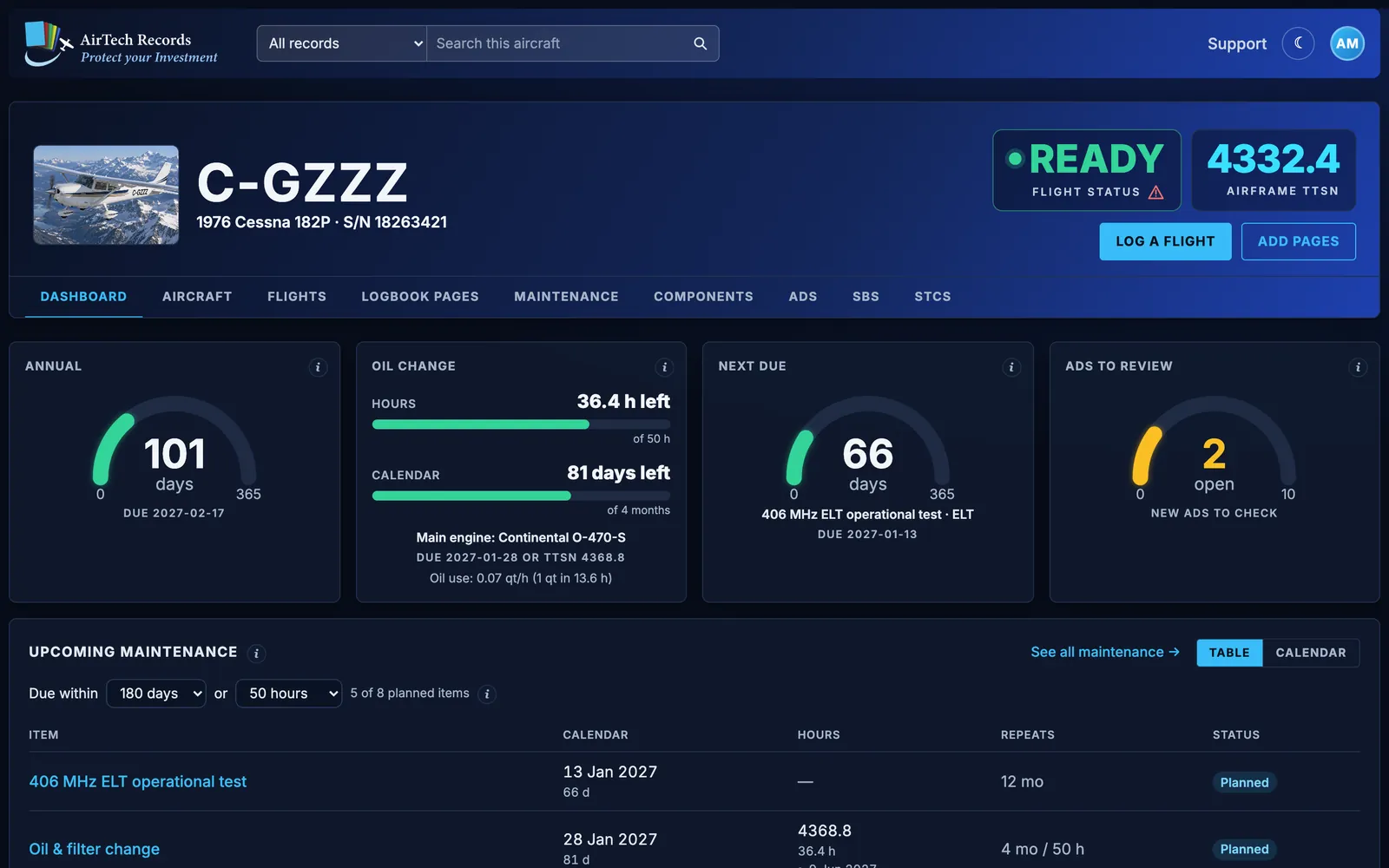
The status is based only on the maintenance and ADs recorded in AirTech Records. The pilot in command decides airworthiness.
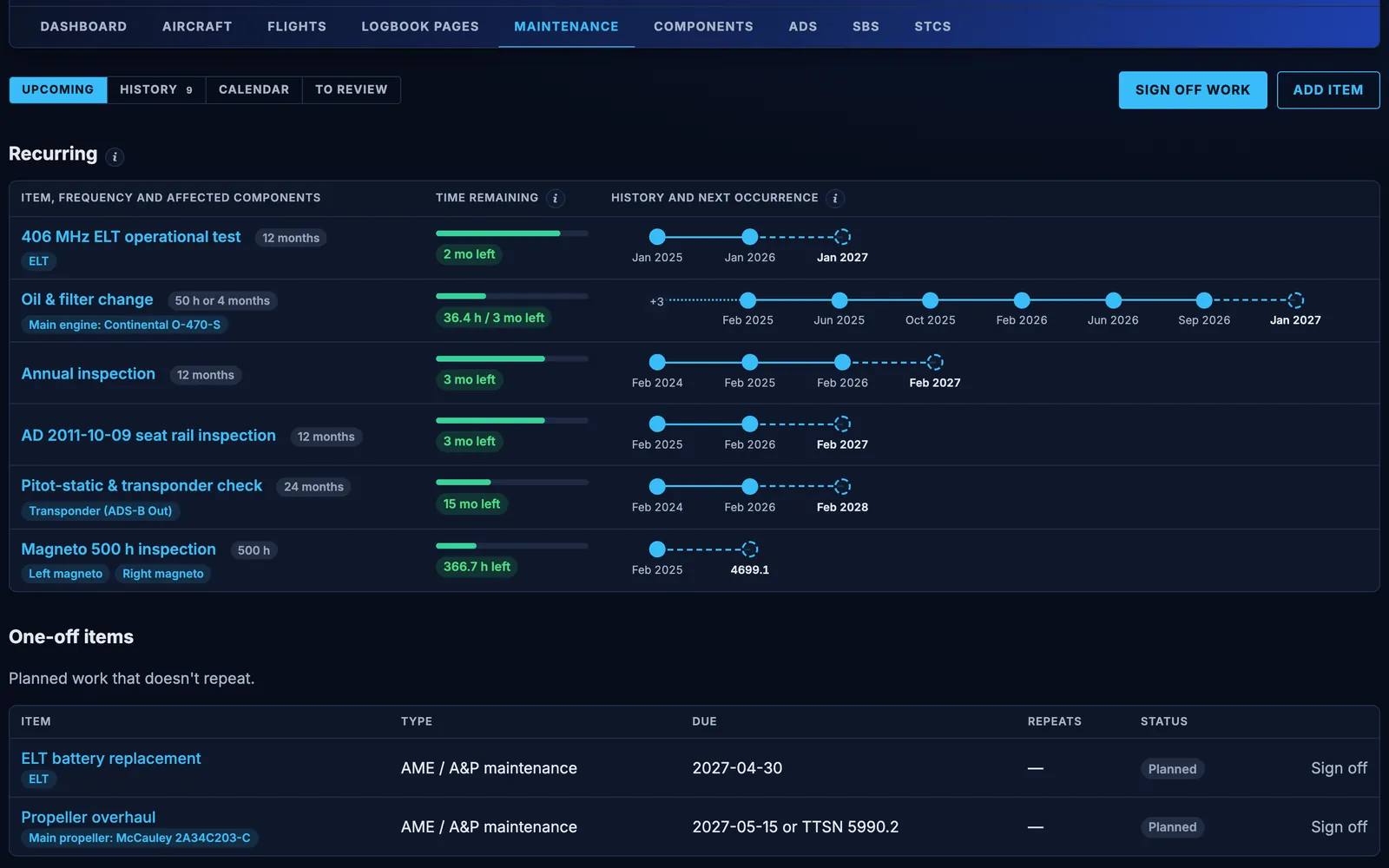
Recurring items with timelines Pro
- Plan items due by date, by hours, or by whichever comes first, and see what’s overdue.
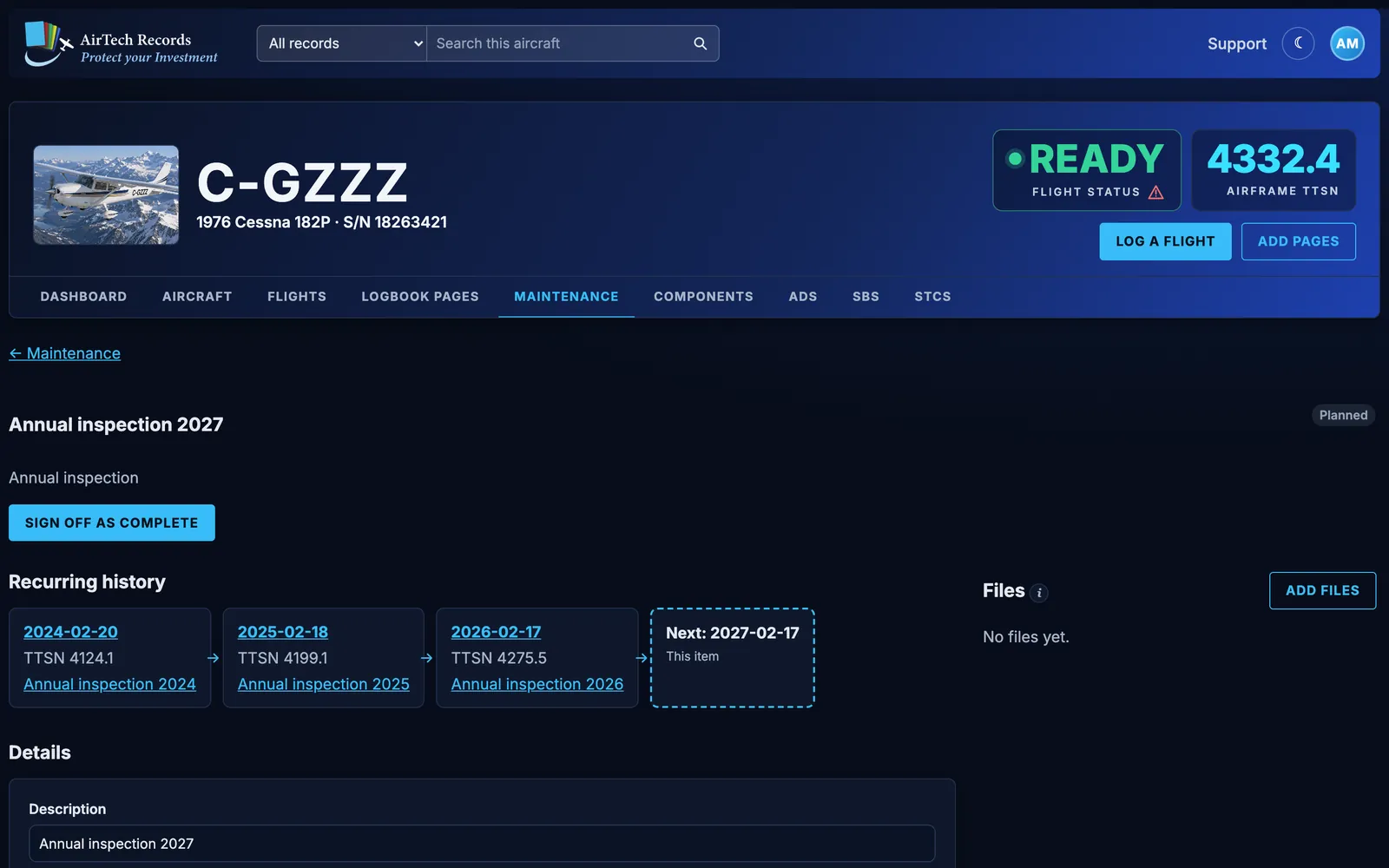
- Give an item a repeat interval in months, hours or both. Sign it off and the next one is planned from the date and TTSN it was done.
- Each recurring item shows its time remaining and a timeline of every time it was done, and when it’s next due.
- Link an item to its components, an AD or a service bulletin, and mark it as grounding the aircraft until it’s signed off.
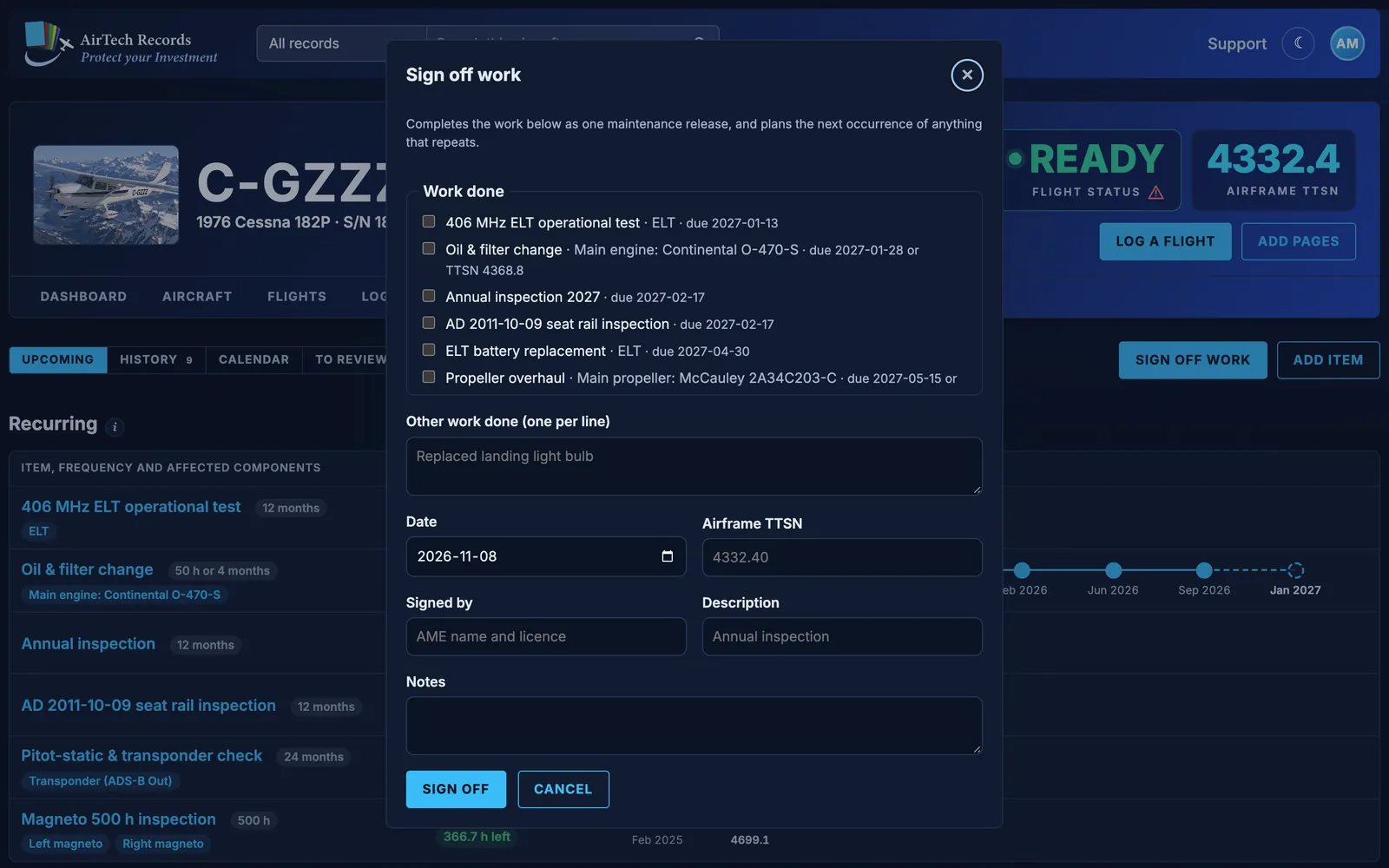
Sign off work Pro
- Tick the planned items that were done, and list any other work done.
- Enter the date and airframe TTSN from the logbook entry, who signed, and notes.
- The work becomes one maintenance release, matched to the logbook pages that cover its date. Attach invoices, checklists or certificates as files.
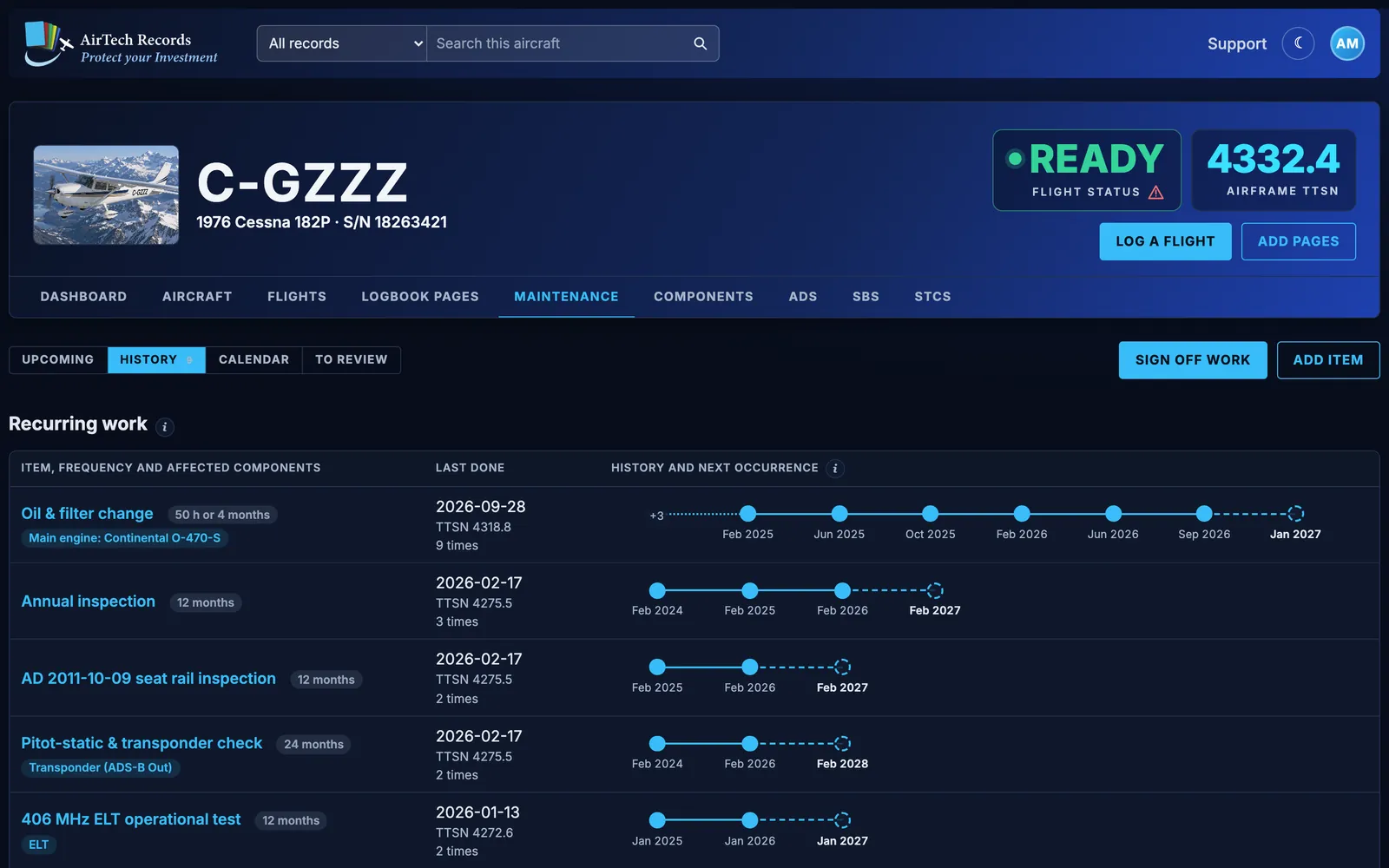
The whole history Pro
History lists the recurring work with when it was last done and how many times, then every maintenance release, newest first, and the other work completed. The calendar shows it all by month.
The next annual, planned for you Pro
Make the annual inspection a recurring item every 12 months. When it’s signed off, AirTech plans the next one, due on the last day of the same month a year later and named for its year, such as “Annual Inspection 2027”. The dashboard’s Annual gauge counts down the days.
Oil changes Pro
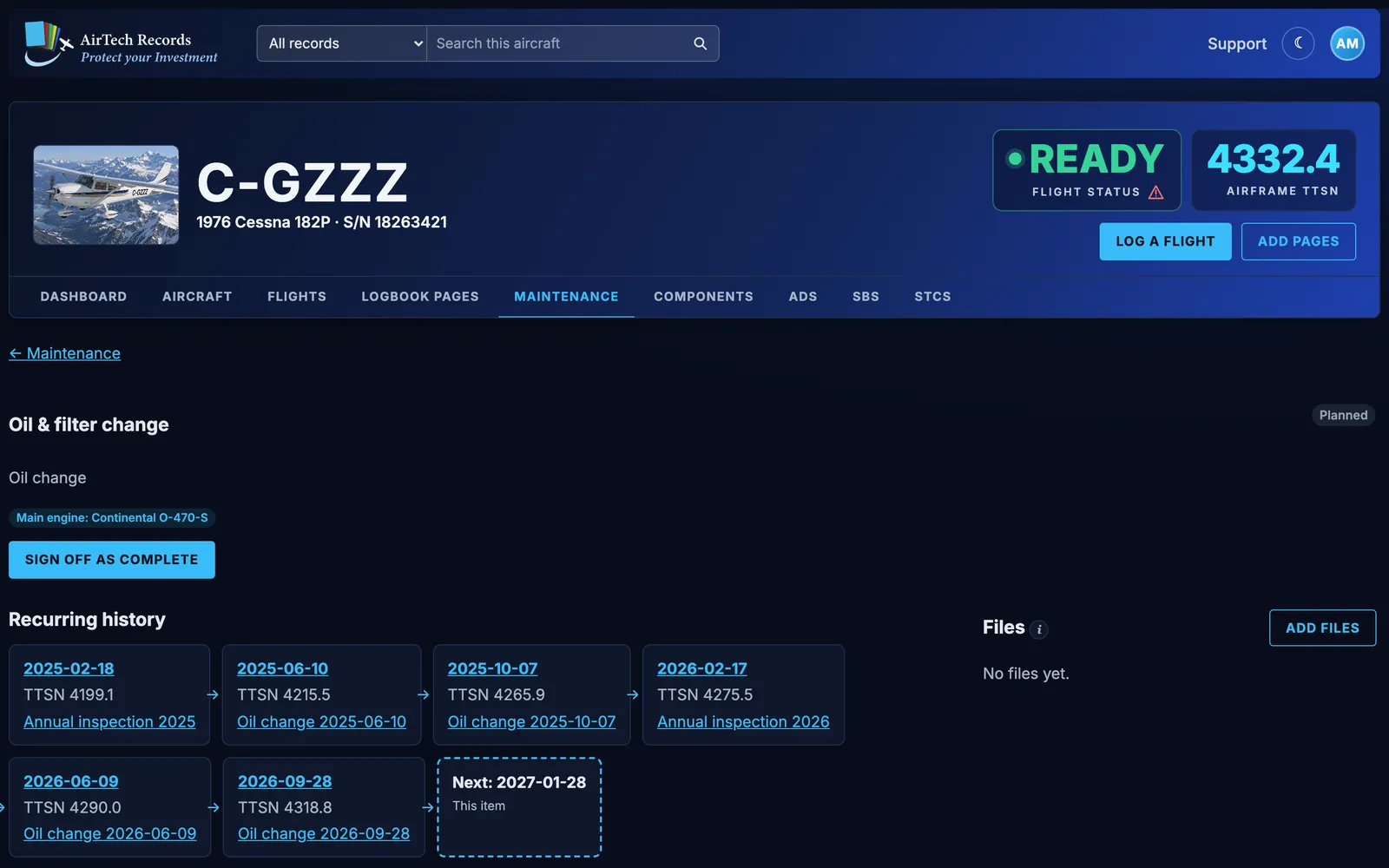
- Track the oil change by hours, months or both, such as every 50 hours or 4 months, whichever comes first.
- Link the oil change to its engine and every change shows in the engine’s maintenance history.
- On a twin, every oil change is linked to its engine component, and the dashboard’s gauge shows the engine whose oil change comes due first.
- The oil added on each flight gives the oil used per hour since the last change.
Components and time since overhaul Pro
- Engines, propellers and parts with their own times, such as magnetos, the ELT and the vacuum pump.
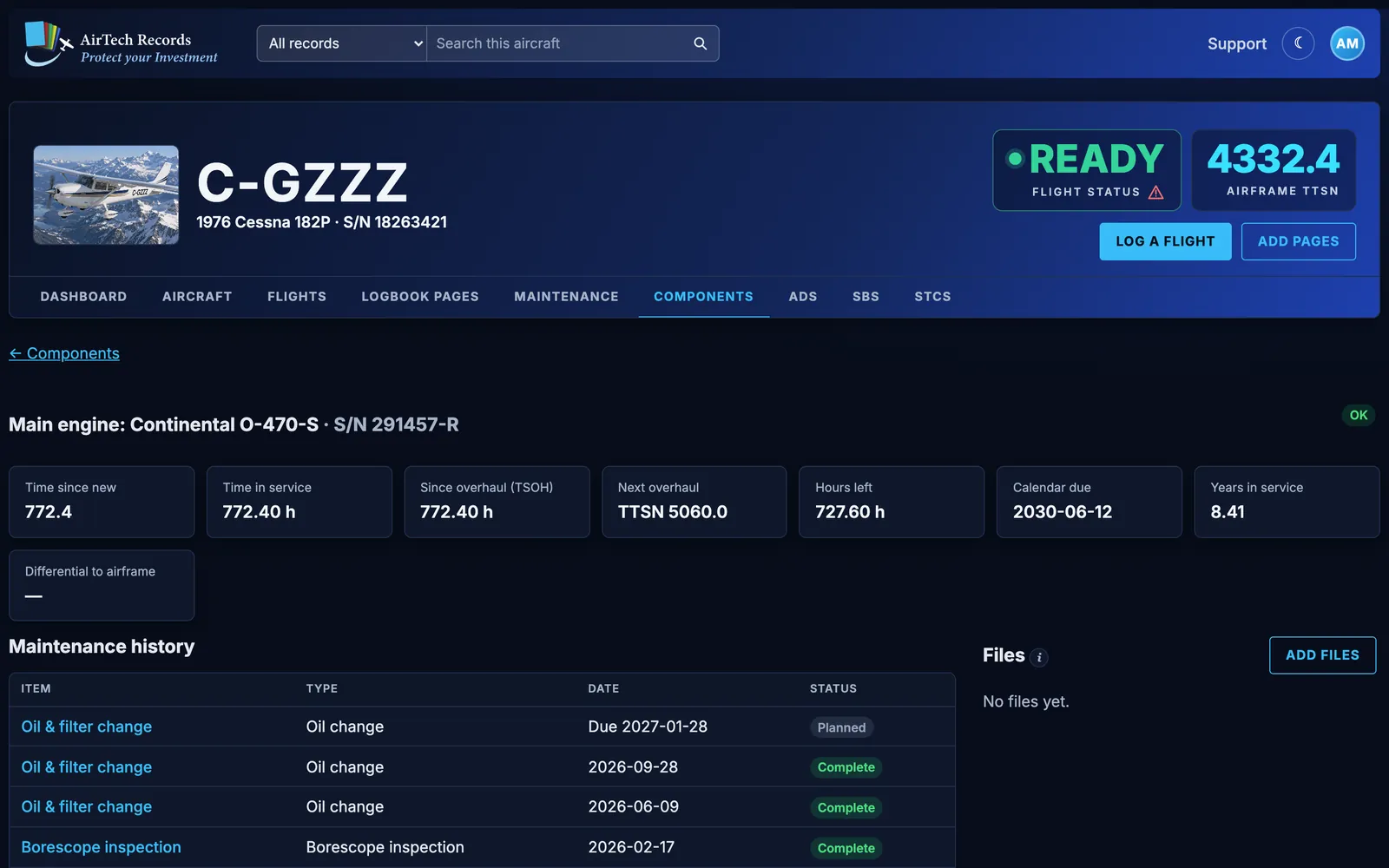
- Time since new, time since overhaul, the next overhaul, hours and calendar time left, worked out from the airframe TTSN so every flight moves them on.
- An overhaul status: OK, Due soon, Overdue, No TBO, Removed.
- Each component’s maintenance history, files and logbook pages.
Airworthiness directives Pro
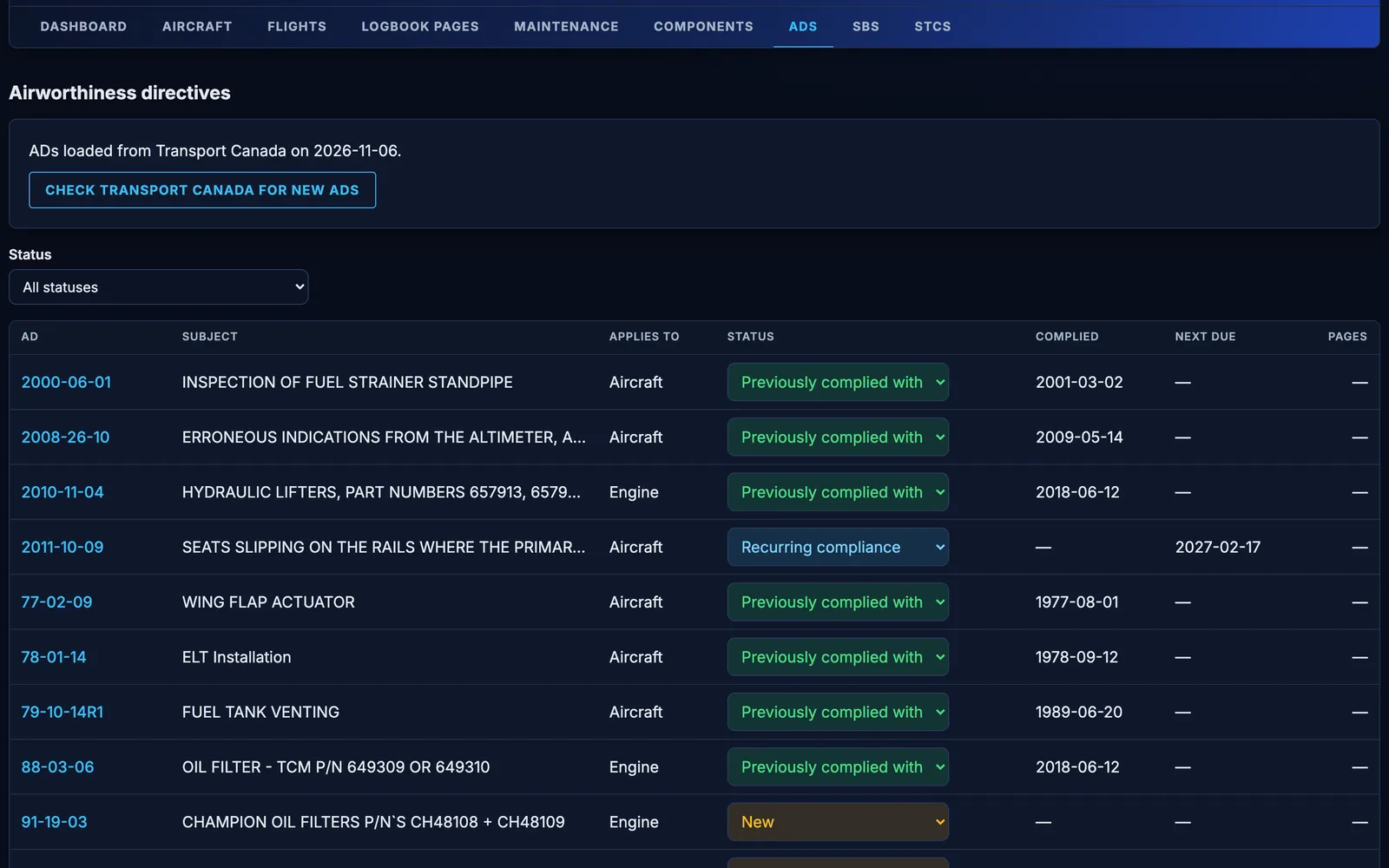
- ADs are loaded for your aircraft automatically: from Transport Canada for Canadian registrations, and from the FAA for US registrations, by make and model. Check for new ones at any time.
- Statuses: New, New - needs review, Planned, Recurring compliance, Previously complied with, Not applicable, Superseded, Cancelled, Discovered. Set one right in the list.
- Record when and at what TTSN each AD was complied with, and when a recurring one is next due, beside the AD itself.
- Link the logbook pages that record it, and add any other AD by number or keyword.
AirTech Records keeps your AD records organised; you and your maintenance organisation still decide which ADs apply and sign off the work.
What AirTech finds on your pages Pro
Once you check a scanned logbook page’s dates and totals, AirTech reads it for the maintenance releases, AD and SB compliance and STCs that aren’t in your records yet, and lists them on the Maintenance tab under a short summary of the page. Nothing counts until you accept it: accept one and it’s added, linked to its page; ignore it and it’s gone for good. When an entry is already in your records, AirTech recognises it by its date and links the page instead.
Borescope inspections Pro
On a borescope inspection, photos are grouped by cylinder and view, and can be sent to Savvy Aviation for analysis. More about the Savvy Aviation integration.
Guides for owners
Tracking airworthiness directives for Canadian and US aircraft
How to find the ADs that apply to your aircraft in Canada and the US, record how each one was complied with, and keep recurring ADs from catching you out.
Best aircraft logbook software (2026): how to choose
Paper binders, spreadsheets, scanning services and logbook apps compared for aircraft owners, with the questions to ask before you choose one.
How to track aircraft engine oil consumption
Record the oil you add before each flight, work out consumption per hour, and watch the trend so a change in your engine shows up early.
Aircraft records: what to keep and why
The maintenance records US aircraft owners must keep under 14 CFR 91.417, how long to keep them, what goes to the buyer, and how Canadian rules differ.
More features
Try every Pro feature free
Every account starts with a month of AirTech Records Pro, free, with no credit card. After that, AirTech Records stays free for your logbooks, and Pro is optional.