
Integrations
AirTech Records, Savvy Aviation and Airbly
Send your borescope inspections to Savvy Aviation for analysis, from AirTech Records or the free BorescopeGuide app, and let Airbly log your flights into your logbook automatically.
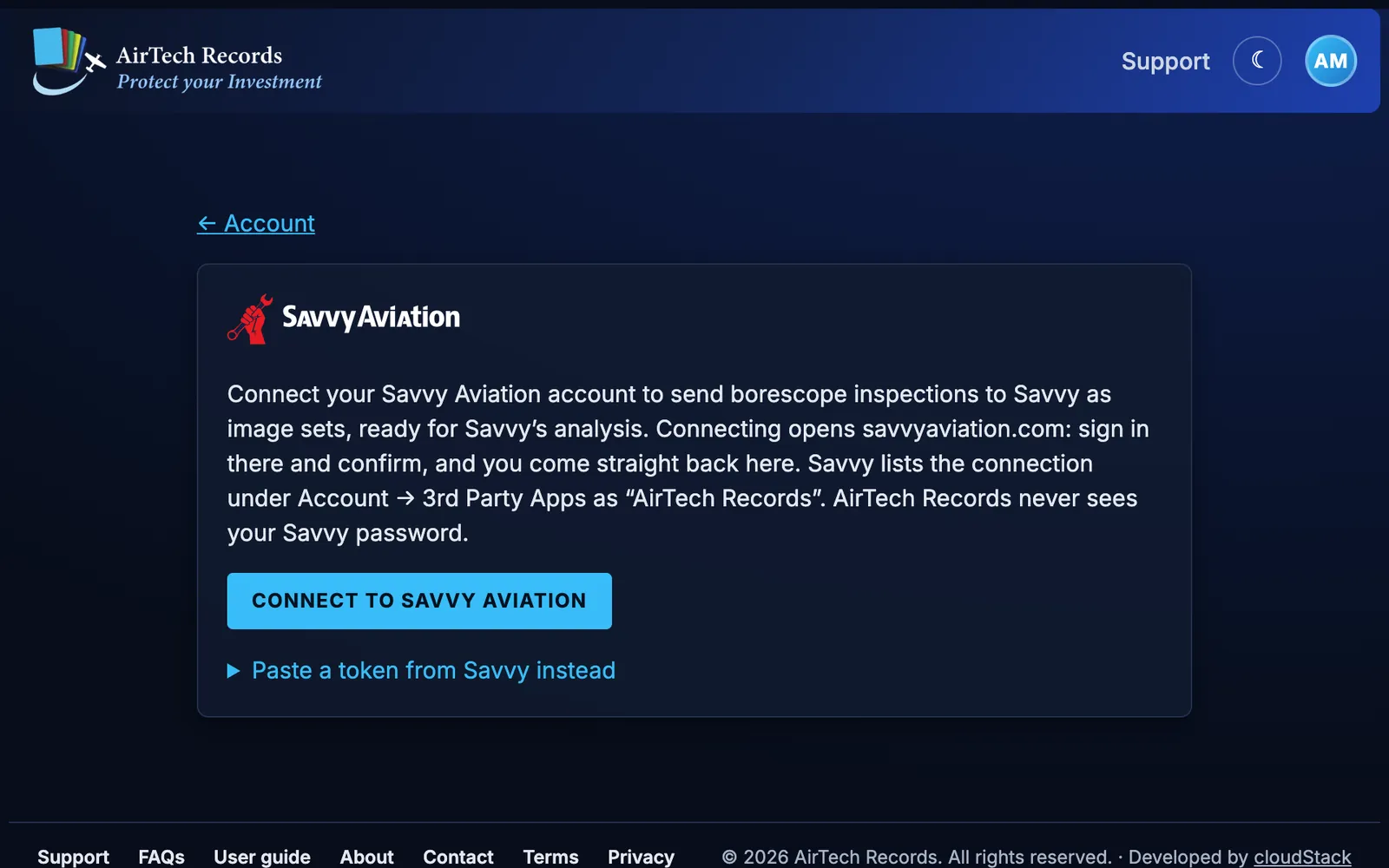
Savvy Aviation borescope uploads Pro
- On a borescope inspection in your maintenance, photos are grouped by cylinder and view, by engine on a twin, as in Savvy’s image sets.
- Photos named as in Savvy’s borescope checklist, such as 1-piston-crown-20240315.jpg, are tagged with their cylinder and view as they’re added. Tag the others with a couple of clicks.
- One button sends the tagged photos to an image set at Savvy, dated the inspection, ready for Savvy’s analysis. Each photo shows when it’s on Savvy, and uploading again sends only what Savvy doesn’t have yet.
- The inspection shows the image set’s status at Savvy: open for photos, analysis requested or report sent.
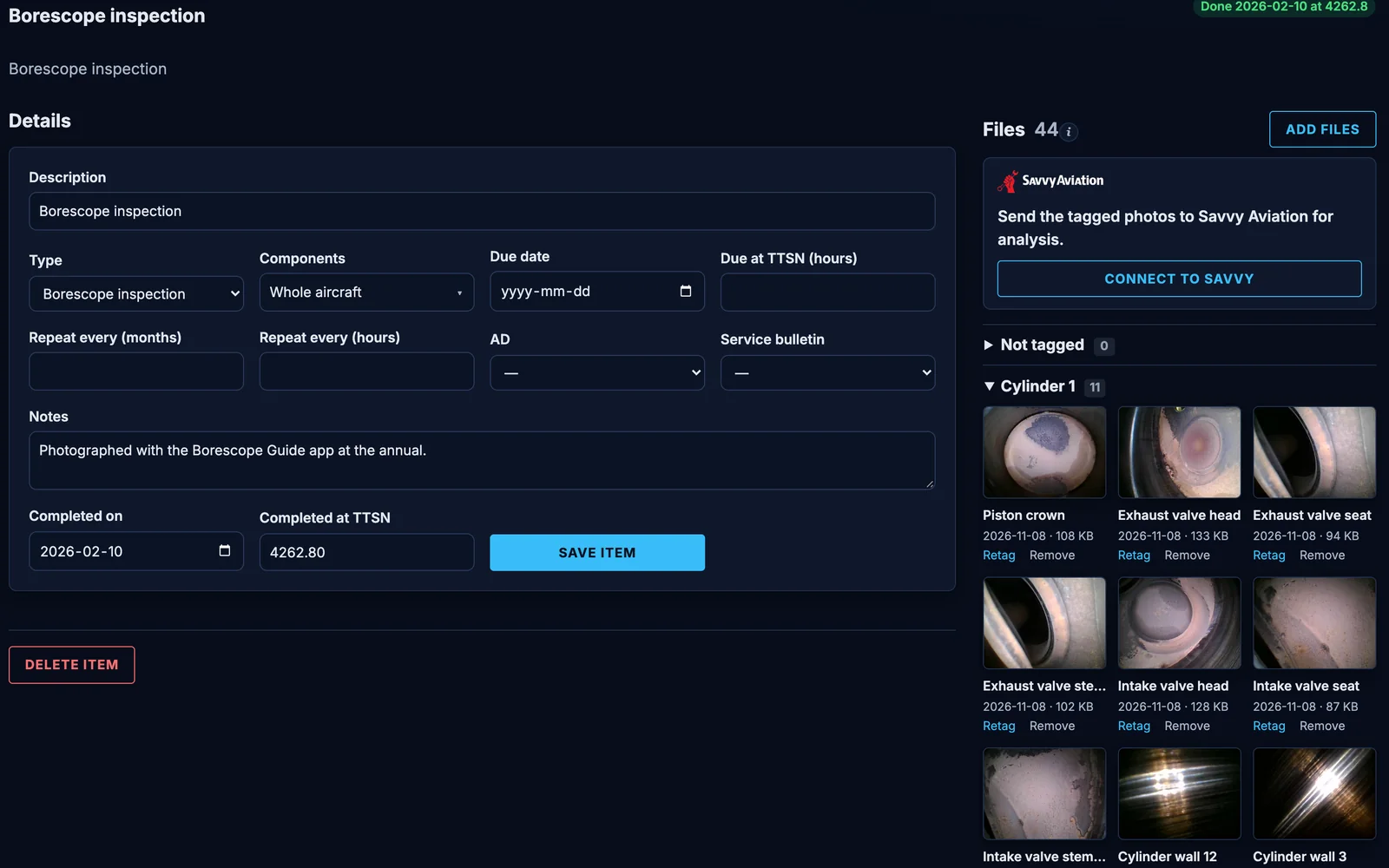
Connect once, safely
- Choose Connect to Savvy Aviation: savvyaviation.com opens, you sign in there and confirm, and you come straight back. AirTech Records never sees your Savvy password.
- Or paste a token you made at Savvy under Account → 3rd Party Apps.
- Once connected, you see the aircraft on your Savvy account, which of them match your AirTech Records aircraft, and any whose Savvy plan doesn’t include borescope analysis.
- Savvy lists the connection as “AirTech Records”. Disconnect at any time.
From the BorescopeGuide app
The free BorescopeGuide app for iPhone, coming soon to the App Store, walks you through a cylinder-by-cylinder inspection with a reference image for each view. Upload the finished set to the inspection in your AirTech Records maintenance, or straight to Savvy Aviation as an image set, and request the analysis from the app if your Savvy account includes it.
Sending an inspection from AirTech Records needs AirTech Records Pro, which includes maintenance and borescope inspections, and a Savvy Aviation account with the aircraft on it. Analysis is a Savvy Aviation service, as your Savvy account allows.
Airbly automatic flight logging
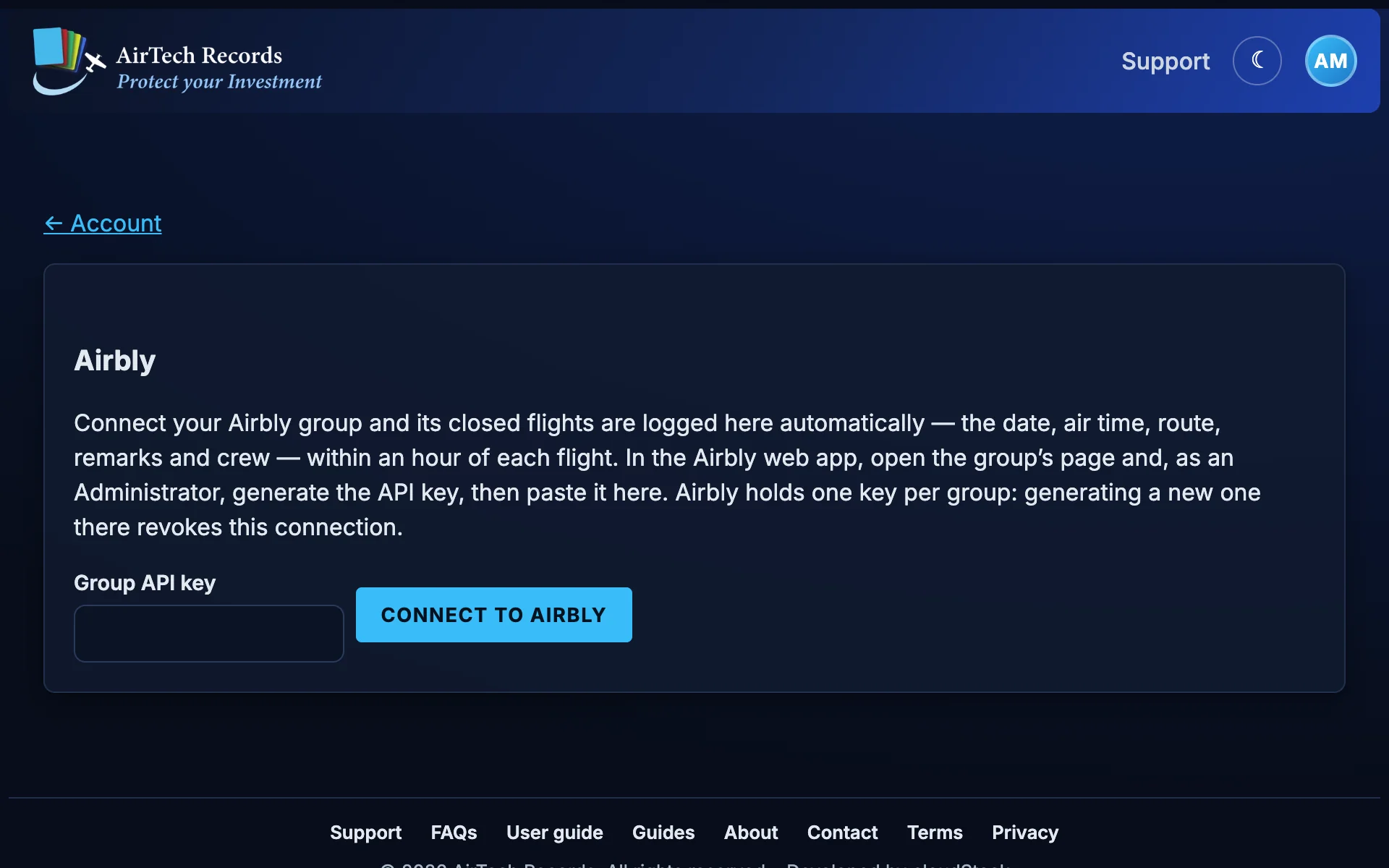
- Connect your Airbly group once by pasting its API key (Airbly web app → group page, Administrator access), and AirTech Records shows you the aircraft in the group.
- Every hour, closed flights from the group’s Phoenix Aircraft Monitor are logged into AirTech Records automatically, with their date, departure and destination airports, air time, crew and remarks. Deduplicated by Airbly’s log ID, so nothing logs twice.
- Your total time stays current without logging each flight by hand.
- The key stays on AirTech Records’ server. Disconnect at any time.
Guides for owners
Borescope inspections and Savvy Aviation
What a cylinder borescope inspection shows, Savvy Aviation’s 11-view protocol, and how to capture and send the images with BorescopeGuide and AirTech Records.
How to track aircraft engine oil consumption
Record the oil you add before each flight, work out consumption per hour, and watch the trend so a change in your engine shows up early.
More features
Start free
AirTech Records starts free, and every account starts with a month of AirTech Records Pro, free, borescope inspections included. No credit card required.