
Features · Every plan
Your logbooks, scanned by you and read by AirTech Intelligence
Photograph each page with your phone, and AirTech Intelligence reads its dates and total time for you to check. Browse your logbooks like the books themselves, find any page by date or TTSN, search the work found on every page with AirTech Records Pro, and keep a secure copy of every one. Your originals never leave your hands.
Scan your pages Every plan
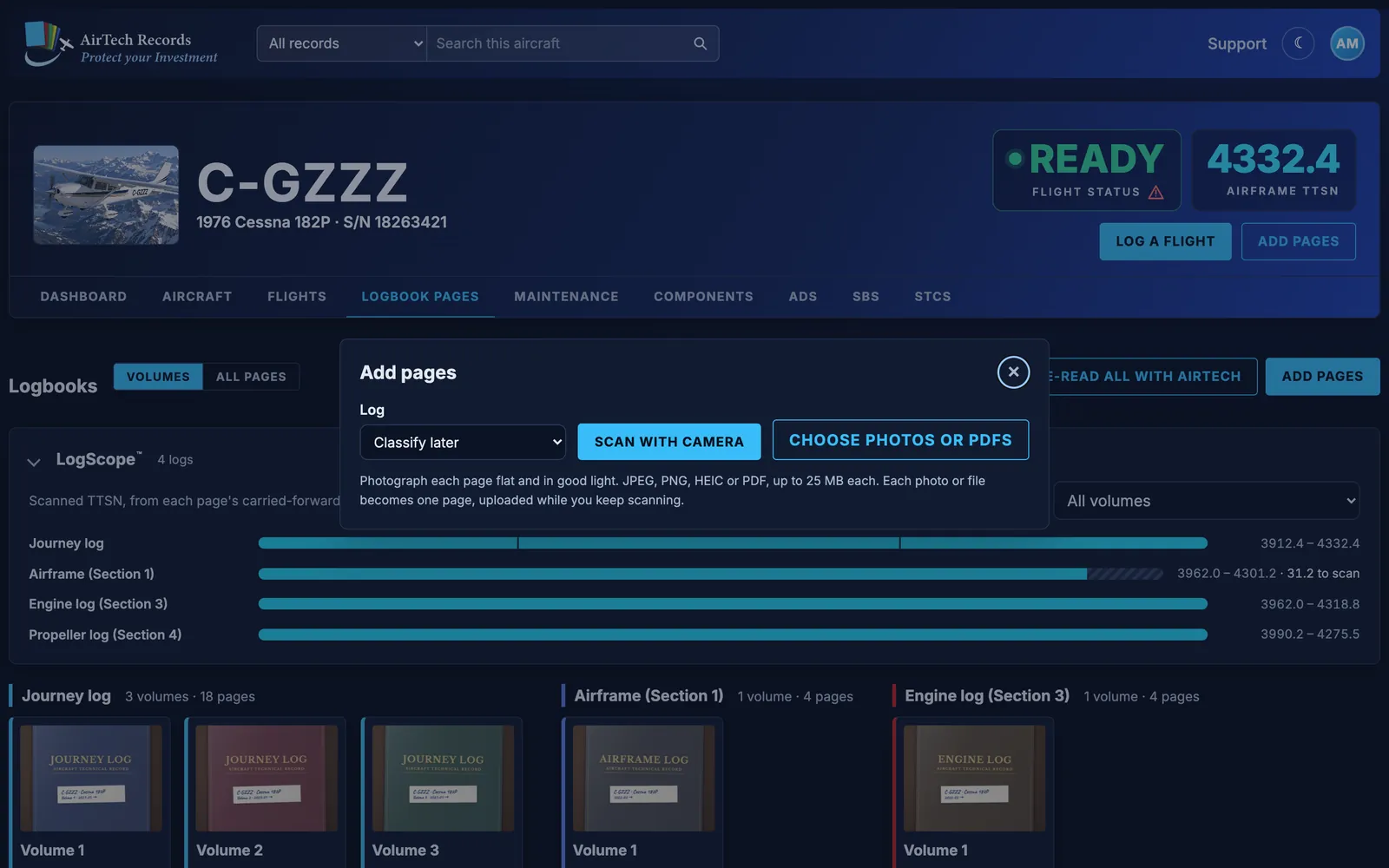
- Choose Add pages and pick the log the pages come from, or leave them to classify later.
- Batch scanning: scan a whole stack in one go with your phone’s or computer’s camera, one tap per page with a running count. Each photo becomes a page and uploads while you keep scanning.
- Or add photos and PDFs you already have: JPEG, PNG, HEIC or PDF, up to 25 MB each.
- Your logbooks never leave your hands, and nothing is shipped away to be scanned.
Scan with the free iPhone app Every plan
The AirTech Records iPhone app scans pages wherever your logbooks are, a whole logbook in one session, and files them under the right log. The pages appear on the website and AirTech reads them like any other. The app also shows each logbook’s page count, how many pages you’ve checked, and its latest entry date and TTSN.
AirTech Intelligence reads every page
- AirTech Intelligence reads each page added as a photo and fills in the first and last entry dates, the TTSN carried forward and the TTSN at the end of the page, for you to check. Every plan
- It only fills in blanks: it never writes over a value you entered or a page you’ve checked.
- Every word on your pages becomes searchable: type a part, a place, an AD number or a name and go straight to the page that records it. Every plan
- Each page says when AirTech read it and what it filled in.
- Once you check a page, AirTech finds the maintenance, AD and SB compliance and STCs on it that aren’t in your records yet, with a summary of the page, for you to accept on the Maintenance tab. Pro
Check every page Every plan
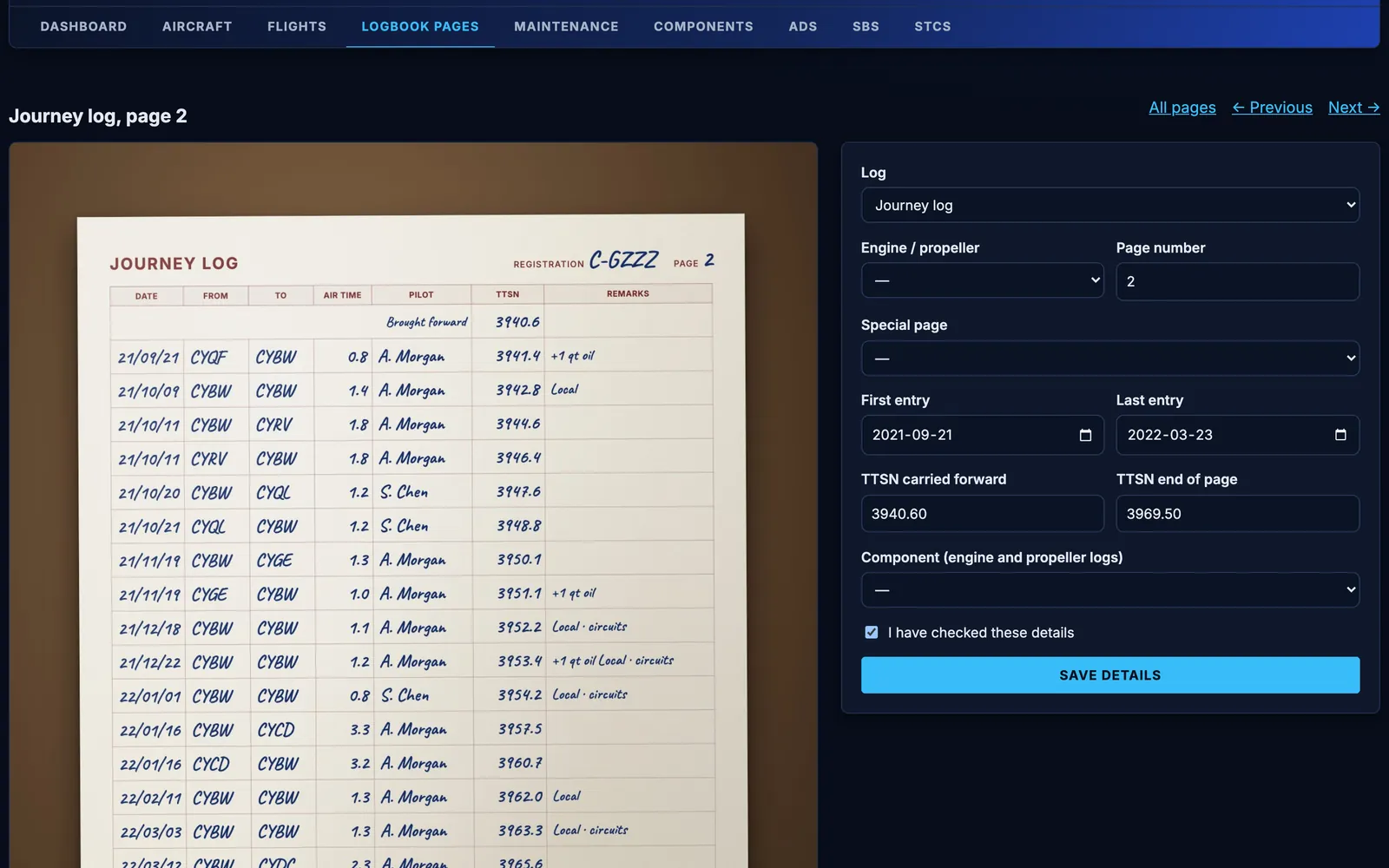
- Open a page to see it beside its details: the log, the engine or propeller, the page number, an AD page or cover, the dates and the TTSN.
- Correct anything AirTech misread and tick “I have checked these details”. Checked pages show as Verified.
- Pages still missing details show as Needs details, so you know what’s left.
- Crop or rotate a photo that came out sideways, and step through the log with Previous and Next.
- On AirTech Records Pro, a journey log page lists the flights within its dates, and a dated page lists the maintenance signed off between them.
LogScope™ and volumes Every plan
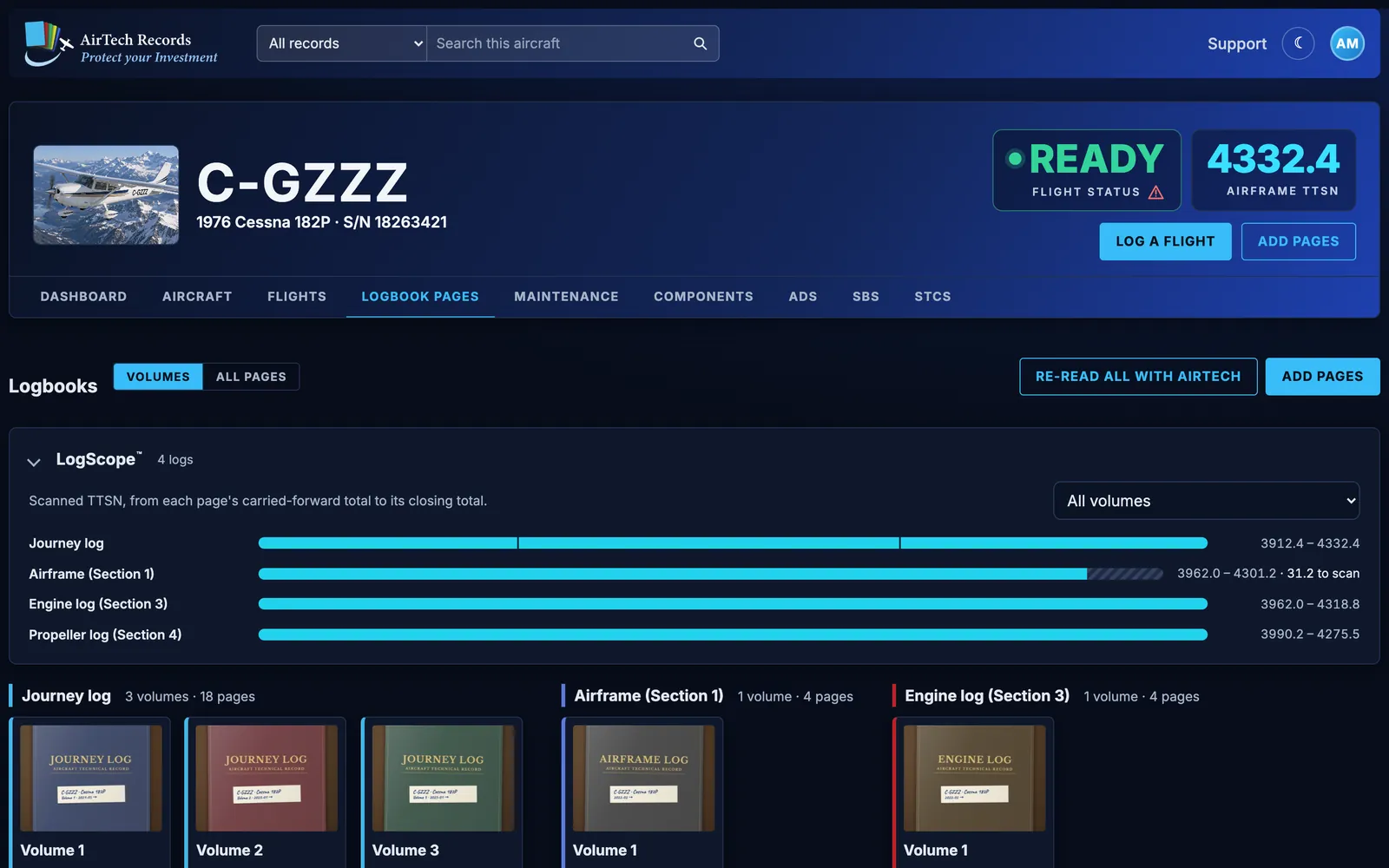
- LogScope draws a bar for each log, from the TTSN carried forward on its first page to the closing TTSN on its last, with any gaps. A big gap usually means pages still to scan.
- Volumes shows each log’s books as covers, with their dates, TTSN and page count.
- All pages lists every page. Filter by log, or type a TTSN to find the page that covers it.
- The logs: Journey log, Airframe (Section 1), Installations and modifications (Section 2), Engine log (Section 3), Propeller log (Section 4).
Flip through it like the book Every plan
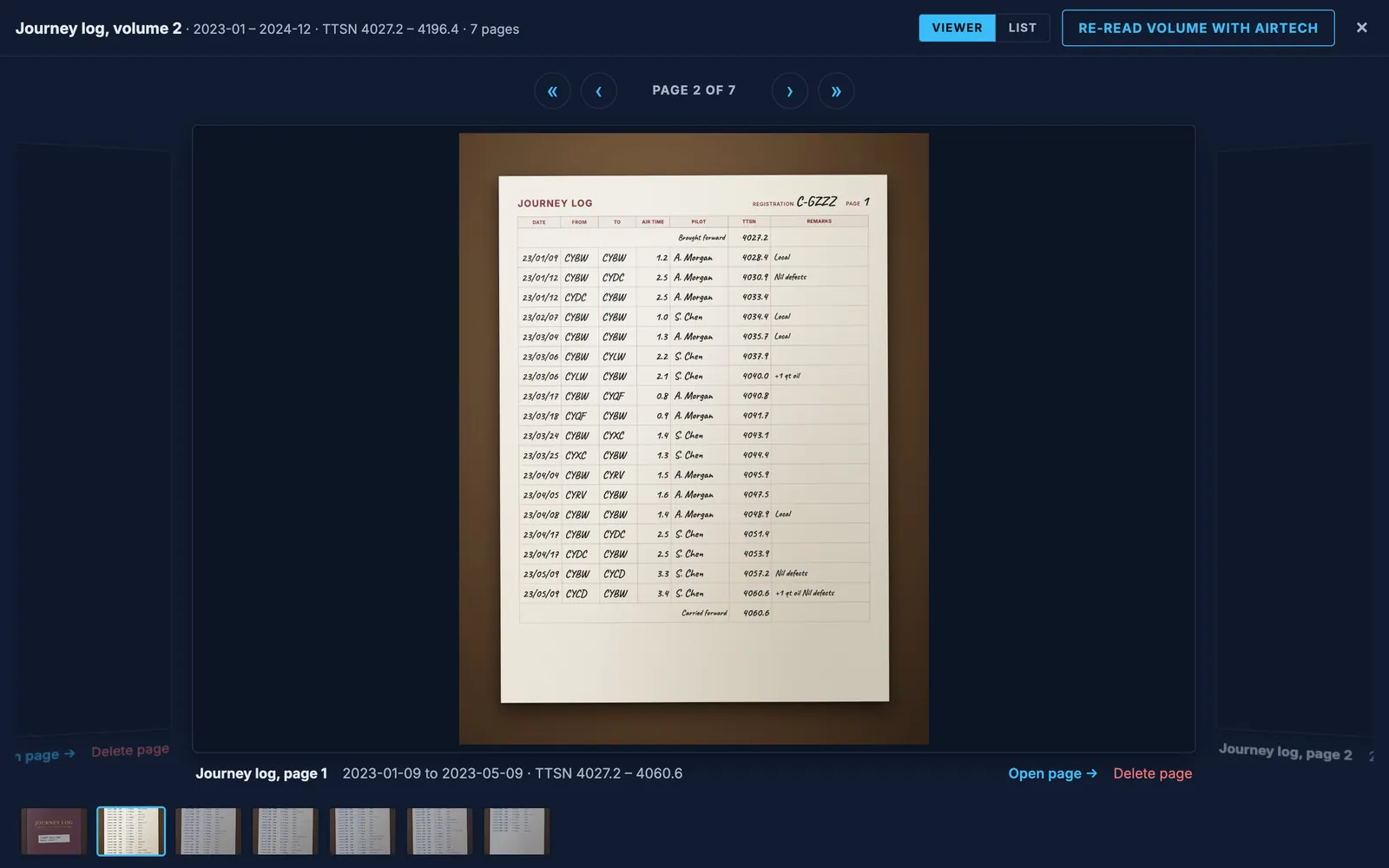
Open a volume to turn its pages: swipe, use the arrows or the arrow keys, or jump with the strip of thumbnails. Switch to List to see its pages in a table with their dates and TTSN.
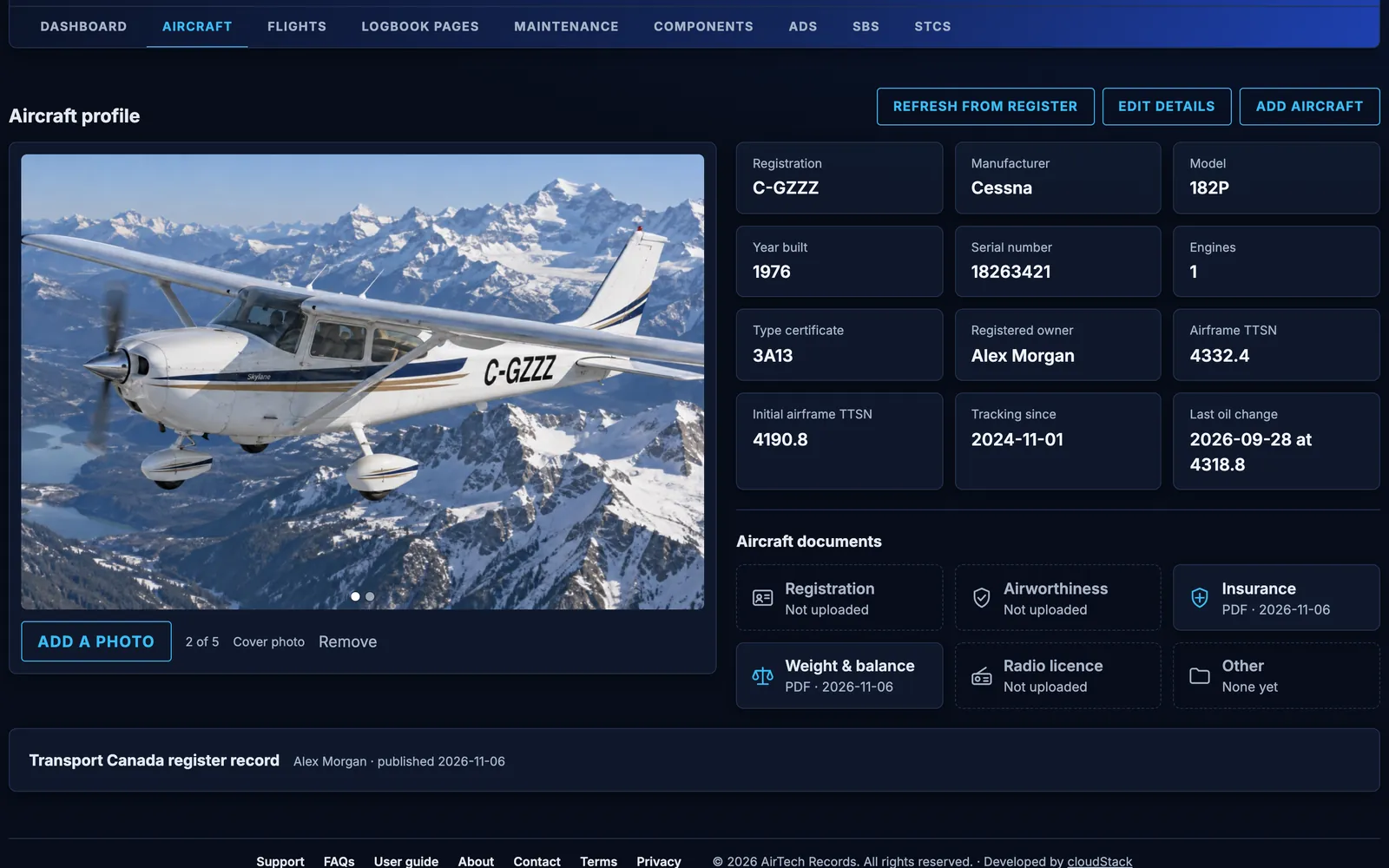
Aircraft profile and documents Every plan
- Add your aircraft by its registration: Canadian and US marks are looked up in the Transport Canada and FAA registers.
- Up to five photos, one of them the cover.
- Keep the certificate of registration, certificate of airworthiness, proof of insurance, weight and balance, radio station licence and any others. Documents are never shown on your share link.
- 1 GB of storage for pages, photos and documents on the free plan, 5 GB on AirTech Records Pro.
Guides for owners
How to digitize your aircraft logbooks
A practical way to scan every aircraft logbook page with your phone, check the dates and total time on each page, find the gaps and keep the originals safe.
Best aircraft logbook software (2026): how to choose
Paper binders, spreadsheets, scanning services and logbook apps compared for aircraft owners, with the questions to ask before you choose one.
What to keep in your aircraft’s technical records (Canada)
The journey log and technical records Canadian aircraft owners must keep under the CARs, how entries are made and corrected, and what goes with the aircraft.
Aircraft records: what to keep and why
The maintenance records US aircraft owners must keep under 14 CFR 91.417, how long to keep them, what goes to the buyer, and how Canadian rules differ.
More features
Start free
AirTech Records starts free, page reading included, and every account starts with a month of AirTech Records Pro, free. No credit card required.