
Features · AirTech Records Pro
STCs and service bulletins, with the pages that prove them
Keep the manufacturers’ service bulletins and the STCs installed on your aircraft beside your logbooks, each with its status, compliance and the pages that record it.
Service bulletins Pro
- Add the bulletins you track for the airframe, engine, propeller, appliance / accessory and avionics.
- Each bulletin’s issuer, number, revision, issue date, subject and compliance time as written, with a link to the bulletin.
- The manufacturer’s category: mandatory, recommended, optional and informational.
- See every SB’s status, when it was complied with and when it’s next due in one list, and filter it by status.
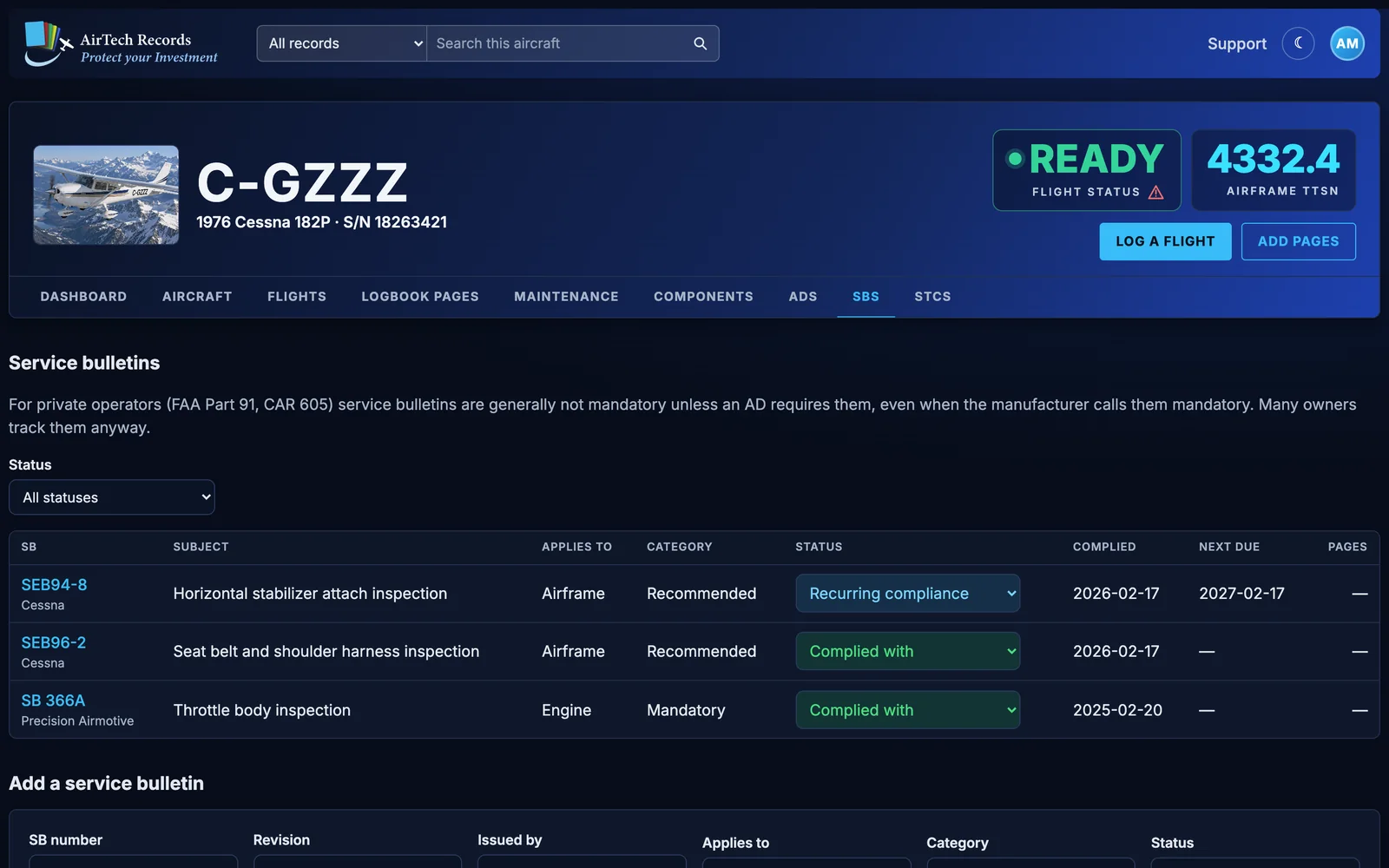
For private operators (FAA Part 91, CAR 605) service bulletins are generally not mandatory unless an AD requires them, even when the manufacturer calls them mandatory. Many owners track them anyway.
Statuses and compliance Pro
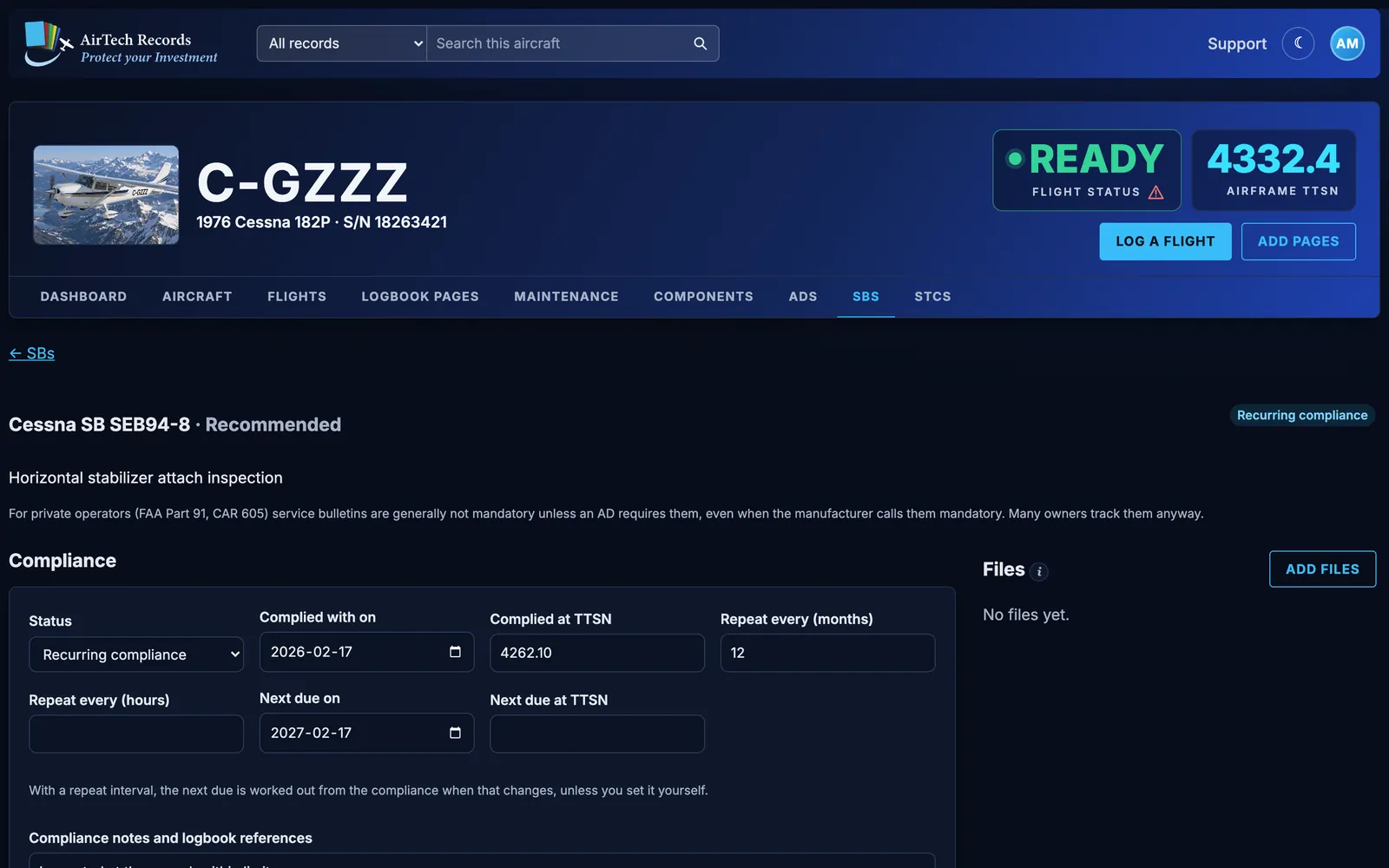
- Statuses: New, Open - not complied with, Planned, Complied with, Recurring compliance, Not applicable, Declined by owner, Superseded. Change one right in the list.
- Record the date and TTSN it was complied with.
- For a repeating SB, give the interval in months, hours or both, and the next one due is worked out from the compliance.
- Link the AD that makes it mandatory for your aircraft, and the component it applies to.
Pages, maintenance and files Pro
Link the logbook pages that record each SB, see the maintenance items linked to it, and attach the bulletin itself. Plan the work as a maintenance item linked to the SB, and it comes due with the rest of your maintenance.
STCs Pro
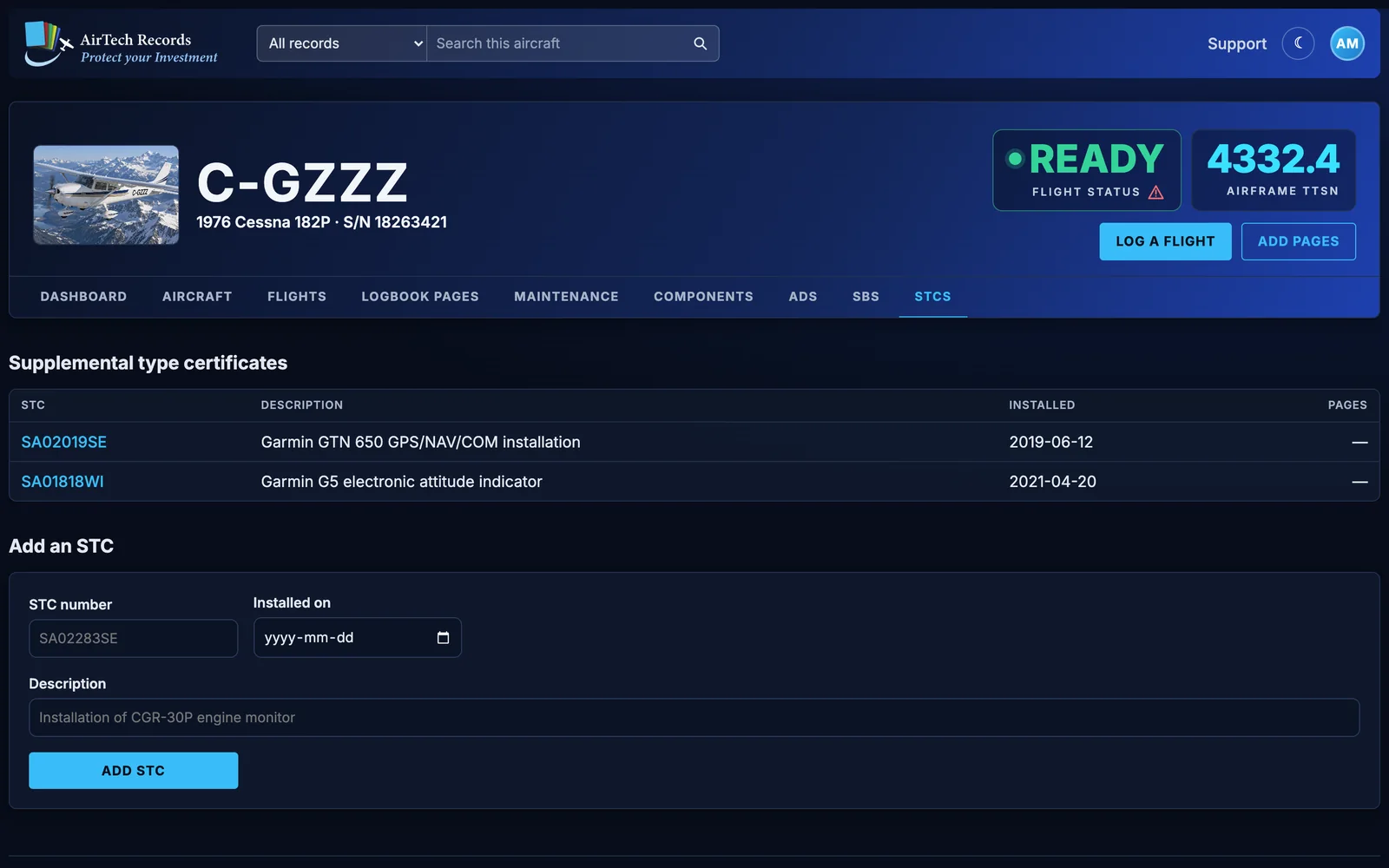
- Keep each supplemental type certificate installed on your aircraft: its number, what it is and when it was installed.
- Each STC lists the logbook pages whose dates cover its install date, and you can link other pages by hand.
- Attach the STC paperwork as files.
- AirTech finds STC numbers on the scanned logbook pages you check and offers them on the Maintenance tab, for you to accept.
Guides for owners
Aircraft records: what to keep and why
The maintenance records US aircraft owners must keep under 14 CFR 91.417, how long to keep them, what goes to the buyer, and how Canadian rules differ.
Preparing your logbooks to sell your aircraft
How to get your aircraft’s logbooks ready for a sale: complete and in order, ADs and alterations documented, gaps explained, and easy for a buyer to review.
Tracking airworthiness directives for Canadian and US aircraft
How to find the ADs that apply to your aircraft in Canada and the US, record how each one was complied with, and keep recurring ADs from catching you out.
More features
Try every Pro feature free
Every account starts with a month of AirTech Records Pro, free, with no credit card. After that, AirTech Records stays free for your logbooks, and Pro is optional.